How to join a Goosechase Experience

Joining in on the fun couldn't be easier. 5 steps is all it takes to start enjoying your first Goosechase Experience.

Need to learn how to create and run a Goosechase Experience? Go here
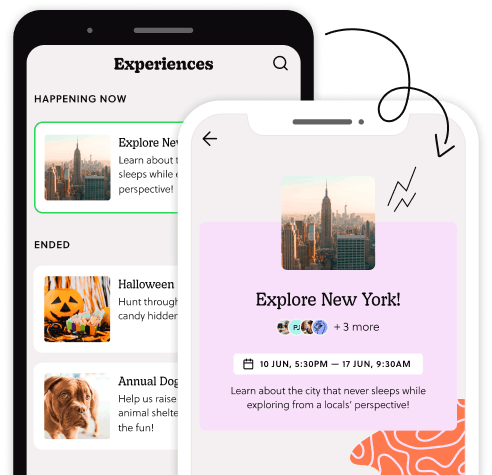
Choose how to Participate

Scan the QR code or open the link your Experience creator provided. You can choose to play via web browser or by downloading the free Goosechase app.

Using the app? Find ‘Goosechase’ on the App Store or Google Play, or click to download from the buttons below:

Join the fun by jumping into your first interactive Goosechase Experience

Join the Experience

Choose to play as a guest, create an account, or log in.

Select how you'll appear in the Goosechase Experience - as an individual player or as part of a team, and away you go!

Complete Missions

To earn points, complete Missions from the list. Mission types include photos, videos, GPS check-ins at specific locations, or answering questions and riddles.

The Experience creator can review all submissions and award bonus points, so put your best feathers forward!
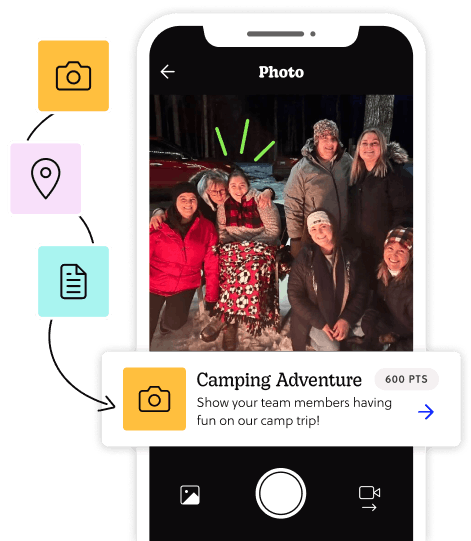
Dive into creative Missions and earn points through playful participation
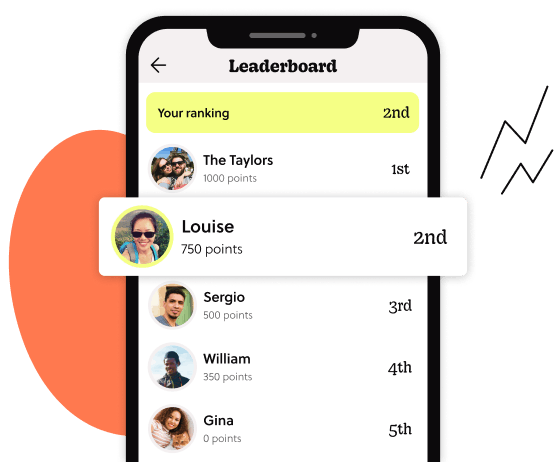
Watch the leaderboard light up as participants compete in real-time

See the action... live!

Scope out the live leaderboard to see how the Experience is progressing. You can pull inspiration from what others are doing, or give big thumbs up to the submissions you think are awesome.

Celebrate, share, repeat

The Experience may be over, but the good times keep rolling. Scroll through the activity feed to see everyone's submissions, toss out some likes, and bond with other participants!
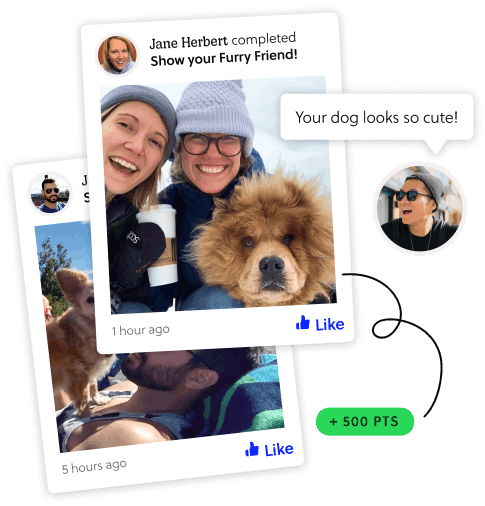
Relive favorite moments by scrolling through shared submissions

Create your own Experience

Want to run your own Experience? Make as many Missions as you can muster, and watch the magic happen.

Drive lasting engagement through gamification that keeps teams celebrating progress

Common Questions

Yes. Goosechase works in your web browser, so you can join and participate on a laptop, desktop, or mobile device without downloading anything. Just open your invite link in a browser and go from there. The app is still available for iOS, Android, and Chromebook if you prefer.
Whatever you've got! Goosechase works on iOS and Android phones and tablets, Chromebooks, and any device with a web browser, including laptops and desktops. As long as you have your invite link or join code and a working internet connection, you're set.
No. You can join the game as a guest with no email address, password, or sign-up form standing between you and the fun. Just open the app or follow the browser link and choose "Continue as guest." Your activity is saved to your device for the duration of the Experience. If you'd like to access your history across devices, you can create a free account at any time and your progress will carry over.
Your invite link should have been shared by the creator of the Experience, usually by email, message, or in your event materials. Clicking it will take you directly into the game. If you didn't receive one, ask your organizer. They can also share a QR code or join code as an alternative.
If you joined using the join link or QR code, you don't need a join code. Your join code comes from whoever invited you to the game. Check the email, message, or event materials they sent you. It's usually a short alphanumeric code alongside a link or QR code. If you can't track it down, ask your organizer. They can pull it from the Experience settings in Goosechase Studio at any time.
If you joined using the join link or QR code, you don't need a join code. Open the Goosechase app or follow the invite link in your browser, then enter the unique join code when prompted to find your Experience. You can also search by the Experience name if you know it. Once you're in, choose your team or individual profile and you're off.
If the Experience still isn't showing up, it may not have started yet, or your organizer may need to check that it's live. Still stuck? Reach out to whoever sent you the invite. They have everything they need on their end to get you sorted.
Cookies 🍪

We use cookies to give you a better experience. You can change your settings anytime in our .